NodeClient
A downloadable game for Windows
Starting a New Game
1. Create a Game
- In the Lobby, click New Game.
- Configure your game settings.
- Share the Game ID with the other players.
2. Join a Game
- The host copies the Game ID from the top of the pre-game screen using the Copy button.
- Other players paste the ID into the field next to Join in the Lobby, then click Join.
3. Start the Match
- Once all players have joined, the host clicks Start.
- The match begins immediately.
Game Options
Game Modes
- Turn-Based — Time advances only when all players are Ready.
- Time-Based — Time advances automatically at fixed real-time intervals.
Turn-Based Speeds
The game advances by a block of in-game hours each turn:
- 1h / 2h / 6h / 12h
- Default: 6 hours
Time-Based Speeds
The game advances by 1 in-game hour every:
- 30 minutes
- 60 minutes (1:1 default)
- 120 minutes
Core Gameplay
Node Capture
- The game revolves around capturing Nodes.
- Combat unfolds over multiple hours, with damage determined by your tech level.
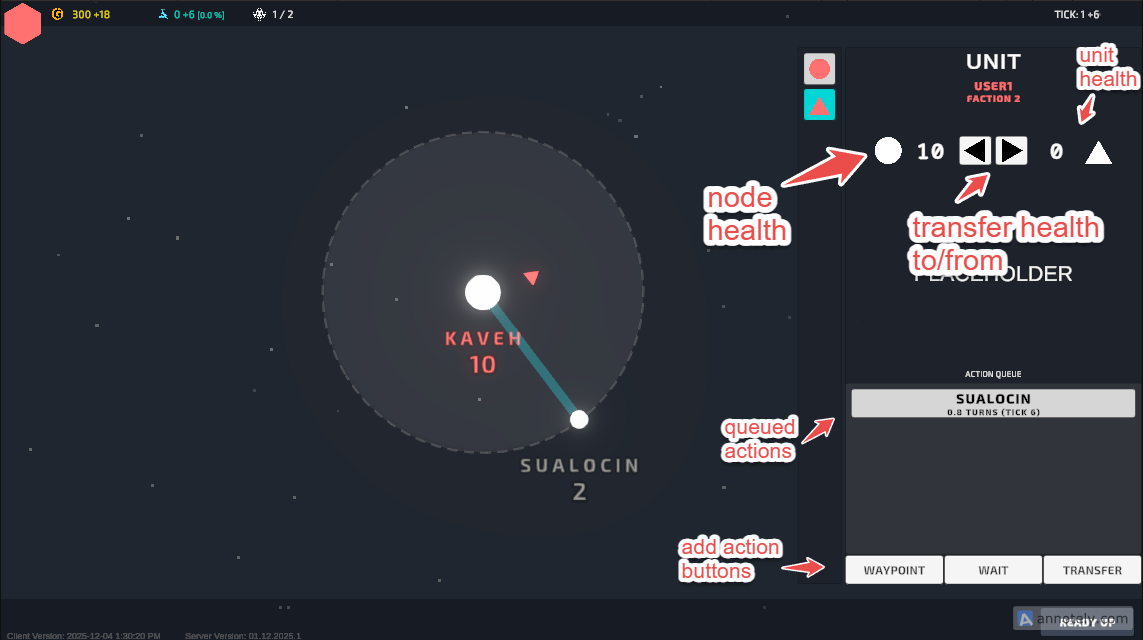
Health Transfer
- Node health and unit health can transfer back and forth during battles.
- This system lets you reinforce defenses or push harder offensively depending on strategy.
Node Production
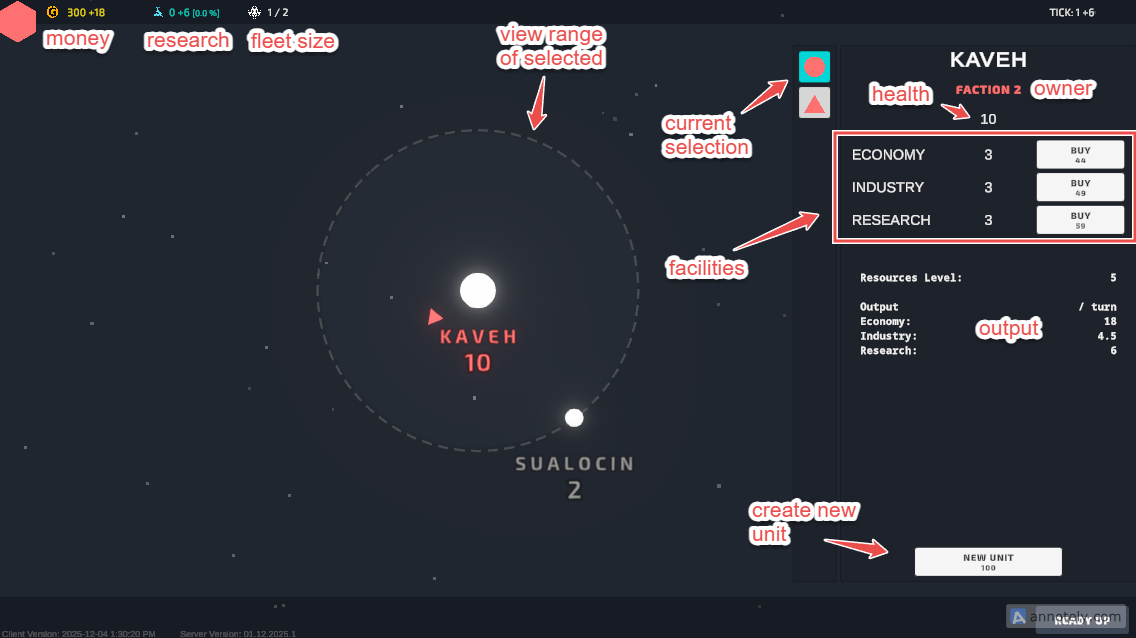
- Nodes generate health, research, and money based on the facilities you build.
- Larger nodes produce more resources even with the same number of buildings.
Resources
Resource Types
- Credits — Economic output
- Beakers — Research progress
- Health — Industrial output
Base Production per Facility
- Economy: 0.2
- Industry: 0.05
- Research: 0.1
Production Formula
Production = Facility Count × Base Output × Node Resource Level × Tech Multiplier
Download